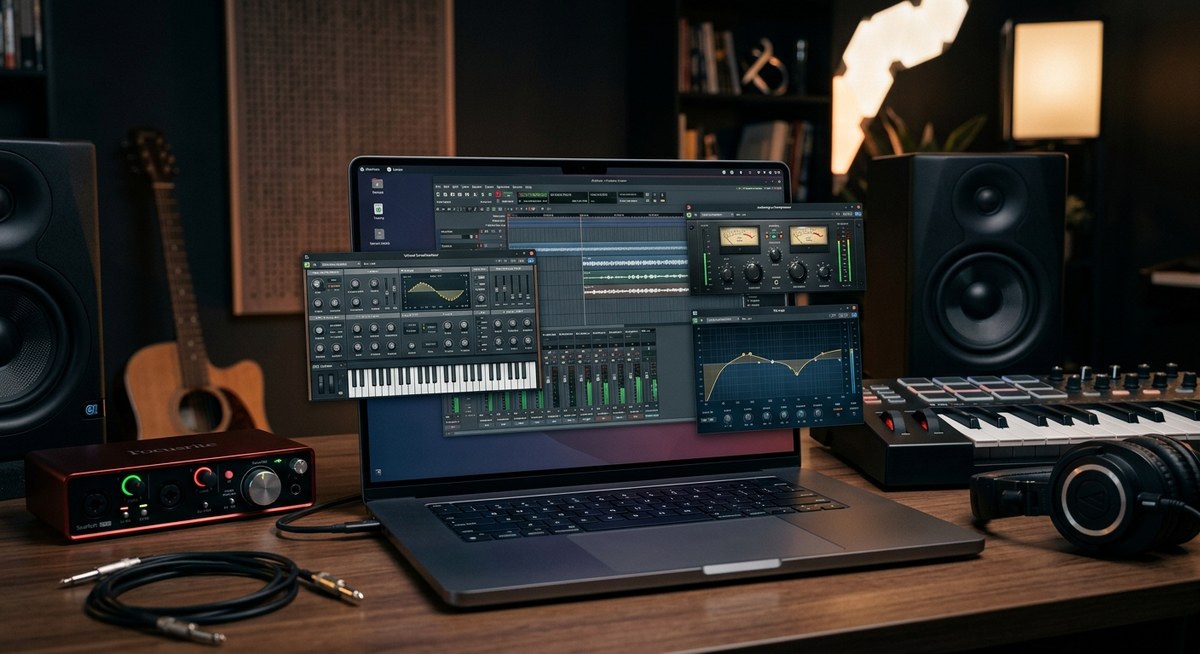
Music production on Linux has never been more capable. If you are building tracks on a budget, or you simply enjoy the freedom of an open source workflow, the Linux plugin ecosystem is ready to fuel your creativity. This guide dives into essential native plugins you should know about, how to assemble a practical chain, and tips for getting the most out of Linux friendly hosts like Ardour, LMMS, and Bitwig. We’ll also cover bridging and hosting techniques so you can use popular VSTs without leaving your Linux workstation behind.
Why Linux is a playground for musicians
Linux users have access to a rich, community driven collection of plugins and tools that emphasize stability, configurability, and low resource usage. You can mix, master, design sounds, and perform live with a setup that you configure once and reuse across projects. The ecosystem centers around native formats such as LV2 and LADSPA, with VST compatibility via bridges for many of the best sounding third party plugins. The result is a flexible, resilient environment that can be tailored to hardware constraints, old laptops, or high powered workstations alike.
Key themes you will notice:
– Native plugins that ship with your distro or are easy to compile
– A strong collection of high quality effects and instruments
– Active communities sharing patches, presets, and best practices
– Simple ways to extend your rig with bridges for VST plugins when needed
In the sections below we’ll split the landscape into practical categories and call out standout options you can start using today.
Core plugin formats on Linux
Before we name specific plugins, here is the quick landscape so you know how to integrate them into your DAW:
- LV2 and LADSPA: The native workhorses of Linux audio. These plugins are designed for Linux and ship with many distributions. They are lightweight and reliable, making them ideal for live setups and older machines.
- VST via bridging: A large portion of the popular synths and effects exist as VSTs. On Linux you typically run them through hosts like Carla or LinVst, or through bridges such as Yabridge. This approach unlocks a huge library while keeping your Linux workflow intact.
- Audio plugin hosts and bridges: Carla and Edison style hosts shine here. They let you route signals between your DAW and bridged plugins with ease and minimal latency.
If you are new to plugin management on Linux, start with LV2 and LADSPA first. Then gradually add bridged VSTs as your workflow demands grow.
Native synths you should try
Synths are where much of the excitement lives in a Linux studio. Native options tend to be light on CPU, easy to integrate with Ardour or LMMS, and come with a broad palette of sounds right out the box.
ZynAddSubFX and Zyn-Fusion
- Classic Linux synth that has evolved into a modern fusion option
- Great for pad textures, evolving leads, and dense basses
- Works well as a stand alone or as a plugin inside your host
Surge
- A versatile, high quality digital synth with robust presets
- Excellent for digital textures, evolving pad work, and punchy leads
- Cross platform with solid Linux packaging in many repos
Calf Mono/Synths from Calf Studio Gear
- Calf offers a suite of LV2 plugins including synthesizers and effects
- Known for clear, musical sound and practical UI
- Great starting point for people who want reliable native synths
Dexed LV2
- DX7 style FM synthesis in a modern package
- Great for classic 80s textures and metallic percussive tones
- LV2 version ensures smooth integration with Ardour and LMMS
ZynSampler and Decent Sampler friendly options
- For sample based work with flexible routing
- Use Decent Sampler for modern sampler workflows in LV2/bridged environments
Top tips for synth setup
– Create a small, repeatable synth chain: oscillator, filter, envelope, and a couple of modulation sources
– Save presets that you can quickly audition in different projects
– Pair a warm analog style filter with a subtle reverb for immediate depth
Effects and dynamics that punch above their weight
A strong effects suite makes all genres sparkle. Linux friendly effects packs often ship as LV2 or LADSPA but can be extended with bridged VSTs for access to acclaimed processors.
Calf Studio Gear
- A staple in many Linux setups for effects like EQ, compression, chorus, tremolo, and more
- Lightweight, musical, and great for inserting into drums, guitars, or synth lines
- Keeps a clean signal path ideal for dense mixes
Dragonfly Reverb and Dragonfly Delay
- Excellent free reverb and delay options, widely used in Linux ecosystems
- Great for space and depth without overwhelming your mix
- Particularly friendly to subtle ambience and large hall simulations
LSP Plugins Pack
- The Linux Studio Plugins pack provides a broad collection of dynamics, filters, and other processors
- Known for practical controls and reliable performance
- A strong candidate for building a complete effect chain with LV2
Reverbs, Delays, and Modulation basics
- Explore a plate reverb for vocals and percussion
- Add a subtle analog delay to glue drums and synth lines
- Use chorus and phaser to thicken pads and bring life to evolving textures
Practical workflow tips
– A typical effect chain might be: input saturation or gentle gentle drive -> EQ to carve space -> dynamic processor (compressor) -> spatial effect (reverb or delay) -> a final limiter
– Always audition effects with your target track to ensure they fit without masking important frequencies
– Group similar effects into buses to simplify mixing and parallel processing
EQs and analysis tools you can rely on
Equalization and spectrum analysis are essential for professional sounding mixes. Linux plugins in this category are robust and straightforward to use, often with low overhead.
Calf EQs and Dynamic EQs
- Calf provides multi band EQs and dynamics tools that are easy to dial in
- Great for surgical cuts, broad tonal shaping, and gentle boosts
Dragonfly and other spectrum tools
- Some dragonfly tools include analysis features or pair well with dedicated spectrum analyzers
- Useful for visual feedback to guide your EQ decisions
Linux Studio Plugins for analysis
- Look for LV2 based spectrum analyzers and loudness meters
- Pair with your DAW’s metering to ensure consistent loudness across tracks
Useful analysis tips
– Use a reference track to calibrate loudness and spectral balance
– Frequently check phase relationships when applying EQ in multiple tracks
– Rely on visual meters, but trust your ears for the final decisions
Samplers and instrument players
Sampling is central to most genres. Linux friendly samplers come in native forms and bridged formats, supporting everything from simple drum loops to intricate orchestral libraries.
Decent Sampler
- Modern, actively developed sampler with a friendly workflow
- Works well with LV2 hosting and bridged VSTs
- Supports multiple sample formats and convenient mapping
Samplv1
- A classic sampler plugin that still holds up for many genres
- Simple, reliable, and great for quick sampling tasks in a mix
LinuxSampler and related tools
- Standalone and plugin capable sampling options
- Excellent for larger sample libraries and flexible routing
SAMPLING practical tips
– Build a few core instrument presets with common articulations
– Use round robin or alternate samples to avoid clicks in repeated notes
– Keep your libraries organized and well-labeled for fast retrieval
Guitar and amp simulation on Linux
If you play guitar and want amp simulations on Linux, you have solid options that fit neatly into LV2 and VST bridging workflows.
Amp sims and impulse responses
- Use bridged VSTs through Carla or LinVst for popular guitar amp sims
- Look for LV2 equivalents where available for a more Linux native path
- Pair with a good impulse response library for realistic cabs
Guitar workflow ideas
– Create a clean chain: preamp distortion or overdrive, cabinet impulse, then room reverb
– Use a dedicated guitar bus to shape dynamic range before the mix bus
– Keep a few ready to go signal chains for different genres
Utilities and workflow enhancers
Beyond sound generators and effects, there are utilities that improve your day to day workflow, solving common Linux audio pain points.
Bridge tools and hosts
- Carla: versatile host that can load LV2, LADSPA, VST, and more with bridged VSTs
- LinVst or Yabridge: bridge VST plugins into Linux hosts where required
- pads and routing: ensure your outputs and inputs are correctly wired to avoid latency surprises
Patch and preset management
- Keep a centralized folder for plugin presets
- Create project templates with selected plugin chains to speed up future sessions
- Use consistent color coding and naming for tracks and channels to simplify collaboration
Performance and system tips
- Run your DAW with low latency settings to minimize audio dropouts
- Disable unnecessary services during sessions to reclaim CPU cycles
- Consider a lean desktop environment for better throughput on older hardware
How to find and manage plugins
The Linux plugin landscape can seem large, but with a practical approach you can assemble a high quality set without overwhelm.
- Start with your distro’s package manager: many LV2 and LADSPA plugins are readily available
- Explore specialized repos and third party collections such as Calf, Dragonfly, and LSP packs
- Use Carla or another bridge to bring in popular VSTs when necessary
- Check LinuxMusician communities, Reddit threads, and the awesome-linuxaudio repository for curated lists
Actionable steps to build your catalog
1) Install a solid LV2 LADSPA core: Calf Studio Gear + Dragonfly
2) Add a modern sampler: Decent Sampler
3) Add a versatile synth: Surge or ZynAddSubFX
4) Add a bridging setup for VSTs if you need them
5) Periodically prune plugins you do not use to keep host performance optimal
Running plugins in DAWs you love
Linux musicians commonly use Ardour, LMMS, and Bitwig Studio. Each has its strengths and compatibility with plugins.
- Ardour: great for recording heavy projects and professional mixing. LV2 and LADSPA plugins shine here, and bridging can expand options
- LMMS: beginner friendly, a strong suite for electronic music, and a natural fit for LV2 or bridged VSTs
- Bitwig Studio: modern DAW with excellent modulation capabilities; bridging VSTs often makes sense here
Bridging tips
– Start with LV2 plugins in Ardour or LMMS to build a solid base
– If you must use a VST, set up Carla as a patch bay to route signals cleanly
– Create test projects to ensure latency is under control and that plugin chains stay stable across sessions
Case studies and practical setups
Case study 1: A minimal, portable Linux studio
– DAW: Ardour
– Core plugins: Calf EQ, Dragonfly Reverb, ZynAddSubFX, Decent Sampler
– Bridge: Carla for any essential VSTs
– Outcome: lightweight, reliable workflow that travels well in a laptop bag
Case study 2: Electronic music workstation
– DAW: Bitwig Studio
– Core plugins: Surge, Dexed LV2, LSP dynamics, Decent Sampler
– Bridges: Yabridge for high quality VSTs
– Outcome: flexible modulation driven workflow with a strong choice of native and bridged tools
Case study 3: Home studio for acoustic and vocal work
– DAW: Ardour
– Core plugins: Calf Studio Gear for dynamics, Dragonfly for reverb and delay, ZynAddSubFX for pads and textures
– Additional: linear routing and parallel buses to create space
– Outcome: clean, natural mixes with deep control of dynamics
Community resources and staying current
- LinuxMusician.com: DAW guides, plugin reviews and system optimization tips tailored for Linux
- Reddit Linux Audio communities: practical tips, new plugin announcements, and setup tricks
- Awesome Linux Audio: curated lists of software and resources for production on Linux
- Distro specific tutorials: many distributions maintain up to date packages and guides for audio
What to look for when you browse resources
– Active maintenance and recent updates
– Clear installation instructions for your distro and DAW
– Compatibility notes for LV2 LADSPA and bridged VSTs
– User ratings or reviews and sample audio demos
Quick start checklist for getting productive fast
- Install Ardour or LMMS and set up a basic audio path
- Add Calf Studio Gear, Dragonfly, and at least one sampler plugin
- If you need VSTs, set up Carla and a basic bridged plugin chain
- Create a simple project to ensure your latency and routing are correct
- Build a short template with a synth, an EQ, a compressor, and a reverb
- Backup your plugin settings and presets in a central location
How to pick the right plugin chain for your project
- Start with a clean tonal base: use a good EQ to carve space for each instrument
- Layer synths and samples carefully to avoid mud and frequency clashes
- Use dynamics to add life: gentle compression on buses and subtle sidechain where appropriate
- Reserve a bus for effects to maintain a cohesive space
- Test your mix on different playback systems to ensure translation
Final notes and encouragement
The Linux plugin ecosystem is mature enough to support serious music production across genres. Native LV2 and LADSPA plugins give you fast, stable performance, while bridging allows you to access a wider library of acclaimed VSTs. The key is to start small, build a repeatable workflow, and gradually expand with the tools that best fit your genre and hardware.
If you are just starting, focus on a compact, reliable set of plugins that cover your core needs: a robust synth, a versatile drum/ sampler option, a few dynamic processors, and a couple of space generators like reverb and delay. As your projects grow, add more specialized effects and a few bridged VSTs to keep your sound palette fresh.
Remember, the Linux music community is welcoming and collaborative. Share your setups, presets, and tips with fellow Linux musicians on LinuxMusician.com and your favorite forums. The more you participate, the more you will learn about polyphonic textures, mix balance, and how to make Linux shine in the studio.
Appendix: a starter plugin list you can build from today
– Calf Studio Gear: dynamicEQ, multi band compressor, saturator
– Dragonfly Reverb and Dragonfly Delay
– ZynAddSubFX or Zyn-Fusion for flexible synthesis
– Surge for a modern, expansive synth
– Dexed LV2 for classic FM style tones
– Decent Sampler for modern sampling workflows
– LSP plugin pack for a complete dynamics and filter suite
– Carla for bridging VSTs and routing
– Yabridge or LinVst for bridging more VSTs into Linux hosts
By embracing native plugins and thoughtful bridging, you can create a powerful and portable Linux studio that scales with your musical ambition. Whether you are composing, recording, mixing, or mastering, the ecosystem described here is ready to support your artistry with reliability and flexibility.