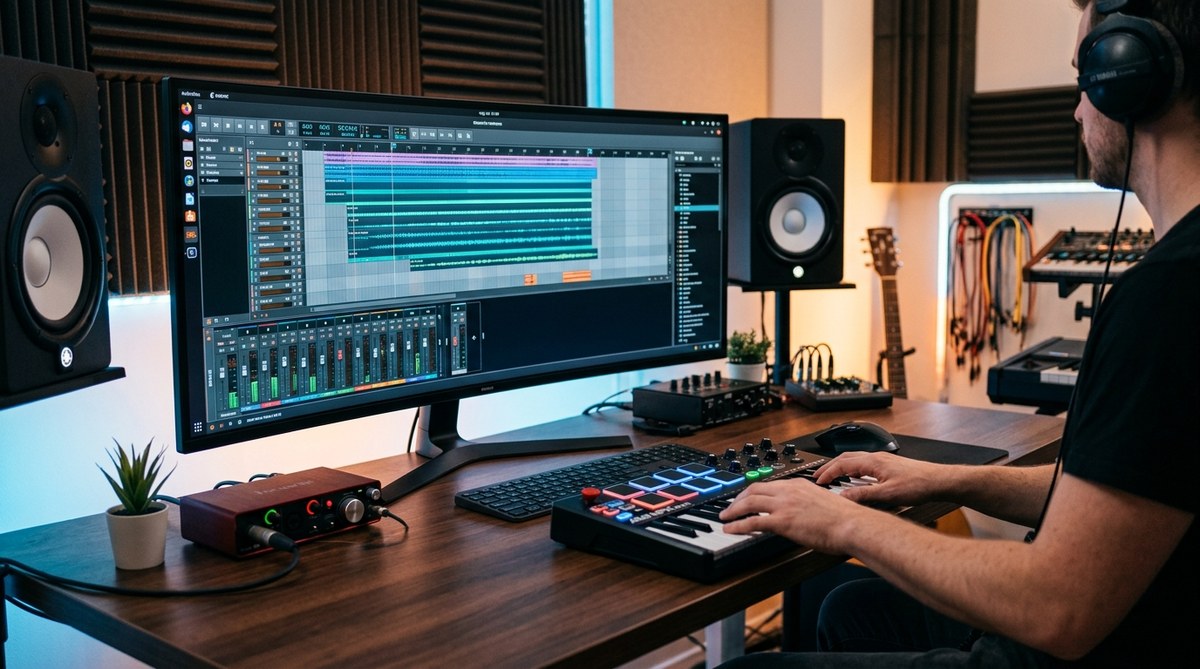
Music production on Linux has come a long way. If you are building a home studio on a Linux workstation, you can choose from a growing family of digital audio workstations that run natively on Linux without relying on heavy virtualization or compatibility layers. Whether you are chasing professional studio workflows or a lean, efficient setup for electronic music and field recordings, there is a DAW on Linux that fits your needs. This guide from LinuxMusician.com walks you through the best Linux DAWs for music production, how they fit different styles, what to expect in terms of plugins and formats, and practical tips to get the most out of your system.
What makes a great DAW on Linux
Choosing the right DAW for Linux starts with understanding the environment you are working in. The Linux audio stack emphasizes low latency, robust audio interfaces, and modular routing. Here are the key criteria that matter most for Linux users:
- Native Linux support: A DAW that runs as a native application without needing Wine or emulation saves time and reduces latency.
- Audio backend compatibility: JACK and ALSA are the traditional foundations; modern systems often use PipeWire as well. A good DAW should play nicely with your chosen backend and support easy routing between devices.
- Stability and performance: Rock solid playback, reliable project saving, and efficient CPU usage are essential for long sessions.
- Plugin ecosystem: LV2, LADSPA, and VST (via LinVst or native builds) give you access to a broad range of effects and synths.
- Open source options and professional tooling: Linux users value transparency and community support, plus professional-grade features when possible.
- Cross platform and collaboration: If you collaborate with others who use macOS or Windows, having a DAW with good import/export options helps keep workflows smooth.
- Documentation and community: Clear setup guides, tutorials, and active forums can save hours of troubleshooting.
With these criteria in mind, below is a practical tour of the most widely used Linux DAWs, from mature open source projects to commercial options with native Linux builds.
Top Linux native DAWs for music production
Ardour
Ardour is the cornerstone of many Linux studios. It is a fully featured digital audio workstation designed for recording, editing, mixing, and mastering. Ardour shines in multitrack recording sessions, robust automation, comping, and a clean workflow that scales from solo projects to full productions.
- Best for: Professional audio recording, mixing heavy sessions, and projects that require reliable editing and high-fidelity playback.
- What to know:
- Native Linux build with strong JACK integration and good ALSA support.
- Multitrack audio recording, non-destructive editing, punch-in/out, advanced automation, and latency compensation.
- Midi, instrument tracks, and sample-based workflows are well supported.
- Plugins: LV2, LADSPA, and VST via LinVst (depending on system and version).
- Cross-platform: also runs on macOS and Windows, which helps if you collaborate with others.
- Install tips:
- Most Linux distros offer Ardour in their repositories; for the latest features you can download from ardour.org or use a Flatpak.
- For best latency results, configure JACK or PipeWire depending on your distro and hardware.
- Pros:
- Extremely mature, stable, and widely documented.
- Excellent for recording and post production workflows.
- Cons:
- Might feel heavier for purely loop based or EDM workflow compared to lighter options.
- Why it matters for LinuxMusician readers:
- Ardour is a staple in Linux audio workflows and a great benchmark for what a native DAW on Linux can do.
LMMS
LMMS is an approachable, open source digital audio workstation focused on music production, beat making, and synthesizer exploration. It is known for being beginner friendly while also offering powerful features for more advanced users.
- Best for: Beginners, beat making, and electronic music with a strong emphasis on virtual instruments.
- What to know:
- Native Linux experience with a straightforward interface.
- Comes with a built-in instrument engine and multiple effect plugins.
- Supports LV2 and LADSPA plugins, and it can work with external samples and synths.
- Install tips:
- Available in most distro repos; official site provides AppImage and Flatpak options for easier maintenance.
- Ensure your audio backend (JACK, ALSA, or PipeWire) is configured for low latency.
- Pros:
- Simple setup, abundant tutorials, and a gentle learning curve.
- Great for sketching ideas quickly and exporting to common formats.
- Cons:
- Not as feature rich as Ardour for large scale projects; workflow leans toward loop based production.
- Why it matters for LinuxMusician readers:
- A solid starting point that complements more advanced DAWs when testing ideas on Linux.
Rosegarden
Rosegarden is a classic Linux friendly music composition and editing environment that blends MIDI sequencing with traditional score editing in a straightforward interface.
- Best for: MIDI heavy workflows, composition, and orchestration projects that rely on notation.
- What to know:
- Strong MIDI sequencing, score editing, and integration with Linux audio stacks.
- Works well alongside other DAWs for hybrid workflows – for instance, sequencing in Rosegarden and recording audio in Ardour.
- Install tips:
- Often available in Linux distributions repositories; can be installed alongside JACK or PipeWire setups.
- Pros:
- Elegant MIDI and notation features for composers who prefer traditional scoring.
- Cons:
- Audio editing and effects aren’t as expansive as Ardour; best used as a companion tool in a Linux studio.
- Why it matters for LinuxMusician readers:
- Rosegarden fills a niche for composers who want to blend notation with modern digital workflows on Linux.
Zrythm
Zrythm is a newer, modern DAW built with Linux users in mind. It emphasizes an approachable, efficient workflow and strong audio editing capabilities with a focus on stability.
- Best for: Clean, modern workflow and reliable performance with a modern UI.
- What to know:
- Native Linux build with LV2 plugin support and a solid MIDI workflow.
- Active development with an emphasis on improving user experience and stability.
- Install tips:
- Check official channels for the latest Linux builds; some distros will offer Zrythm through their package managers.
- Pros:
- Fresh design, good keyboard shortcuts, and a modern feature set.
- Cons:
- Smaller ecosystem than Ardour for some users; may require additional plug-ins to fill certain gaps.
- Why it matters for LinuxMusician readers:
- A great option for Linux users who want a contemporary DAW with a growing plugin ecosystem.
Bitwig Studio on Linux
Bitwig Studio is a professional cross-platform DAW that runs on Linux with a native Linux version. Its flexible modulation system, clip launching, and rapid workflow make it a strong choice for electronic music and sound design.
- Best for: Creative production, live performance, and modular style workflows.
- What to know:
- Native Linux client with extensive device modulation and flexible routing.
- Excellent instrument and effect ecosystem, with support for popular plugin standards.
- Good automation capabilities and intuitive session view style mapping.
- Install tips:
- Bitwig provides Linux installers (DEB/RPM or AppImage) and a licensing system; ensure your audio backend is configured properly.
- Pros:
- Highly modern and innovative, with frequent updates.
- Strong performance and robust MIDI capabilities.
- Cons:
- Commercial software; there is a cost compared to free and open source options.
- Why it matters for LinuxMusician readers:
- Bitwig on Linux demonstrates that high end commercial DAWs can run smoothly on Linux, expanding the Linux audio landscape.
REAPER
REAPER remains a strong cross-platform option including native Linux support. It offers a compact, highly customizable environment and excellent performance efficiency.
- Best for: Budget-conscious professionals who want a capable, fully featured DAW with fine control over routing.
- What to know:
- Linux builds with native support, including Midi, audio, and plugin support.
- Very small footprint, high customization, and strong scripting capabilities.
- Supports many plugin formats including LV2, LADSPA, VST2/3 via bridging where needed.
- Install tips:
- Download from reaper.fm; Linux builds are provided for 64-bit systems; follow installation instructions for your distribution.
- Real-time permissions and kernel settings may improve performance on some machines.
- Pros:
- Affordability and flexibility; fast and responsive.
- Excellent for projects that require tight control over routing and monitoring.
- Cons:
- The default installation might feel sparse compared to Ardour; users often add plugins to reach full potential.
- Why it matters for LinuxMusician readers:
- REAPER on Linux is a practical alternative for users seeking a powerful, portable DAW with a straightforward license model.
Renoise
Renoise is a tracker style DAW that has native Linux support. It is especially loved by electronic music producers and those who enjoy sample based workflows.
- Best for: Trackers lovers, sample based production, and live performance where tight grid based sequencing helps.
- What to know:
- Traditional tracker interface that emphasizes precise sequencing and sample manipulation.
- Solid sampler and instrument support with modern effects chain.
- Plugin compatibility via LV2, LADSPA, and VST2/3 on Linux in many setups.
- Install tips:
- Provided as a Linux-compatible binary from the official site; can be installed via AppImage or package formats depending on your distro.
- Pros:
- Unique workflow that some artists find faster and more expressive.
- Cons:
- May require adaptation for users coming from traditional linear DAWs.
- Why it matters for LinuxMusician readers:
- A distinct tool for fans of tracker style production who want Linux native support.
Tenacity
Tenacity is a modern continuation of an Audacity style approach – an audio editor and recorder with more features and better plugin support. It is widely compatible with Linux.
- Best for: Quick recording, editing, and post production tasks with a focus on usability.
- What to know:
- Native Linux builds; supports common audio file formats, pluggin support via LV2 and LADSPA.
- Suitable for editing and light mixing; not a heavyweight DAW but a versatile audio editor.
- Install tips:
- Often available in distro repositories or via official project builds for Linux.
- Pros:
- Simple, ergonomic interface ideal for editing and quick tasks.
- Cons:
- Not designed for full-scale multitrack production like Ardour.
- Why it matters for LinuxMusician readers:
- A handy companion tool for Linux studios that need fast audio editing and processing.
Waveform and other options
Waveform (Tracktion Waveform) has a Linux version available in some configurations and offers a modern DAW experience with a unified approach to recording, editing, and mixing. It is another viable option for Linux studios seeking a contemporary interface.
- Best for: Modern UI lovers and producers who want a full featured DAW with a cohesive workflow.
- What to know:
- Linux support exists through official builds and community packaging in some distributions.
- Wide range of built-in effects and instruments; strong automation and editing capabilities.
- Install tips:
- Check the official Waveform site and your distribution’s repositories; consider AppImage for portability.
- Pros:
- Modern workflow, good performance on capable machines.
- Cons:
- Linux support varies by release; ensure compatibility with your distro and kernel version.
- Why it matters for LinuxMusician readers:
- Demonstrates the general viability of Linux for modern DAW style workflows.
Plugins and formats on Linux
A successful Linux studio often depends on your ability to integrate plugin ecosystems. The major formats to know:
- LV2 and LADSPA: Natively supported by most Linux DAWs; widely available in Linux repositories.
- VST2 and VST3: Linux support exists via bridging tools like LinVst or native implementations; some DAWs handle VSTs directly on Linux, others require bridging.
- AU and Native Instruments formats are generally not supported on Linux without special arrangements or cross platform tooling.
Tips:
– For best compatibility, build a consistent plugin environment across your DAWs.
– Favor LV2 plugins for native Linux performance and stability.
– Use containerized plugins or AppImage formats to simplify maintenance across projects.
Hardware and audio backends
Linux users should plan their audio backend thoughtfully:
- JACK: The traditional low latency audio backend with powerful routing capabilities. Ideal for multi-app signal routing and complex setups.
- ALSA: The lower layer behind many Linux audio needs; often used in simpler configurations.
- PipeWire: The modern media server that is increasingly handling professional audio tasks and offers compatibility with PulseAudio and JACK through bridges.
- Latency considerations: Real time group permissions, high priority process settings, and CPU governor settings can all impact performance.
Practical tip: If your hardware requires it, you can run JAMMM or use the system settings to maximize low latency performance. LinuxMusician readers often run Ardour or REAPER with Jack and PipeWire to achieve stable low-latency performance.
How to pick the right DAW for your Linux studio
- Start with Ardour if you need a traditional full featured DAW with recording, editing, and mixing capabilities.
- Use LMMS if you want a budget friendly, beginner friendly option for beat making and electronic music.
- Consider Zrythm or Rosegarden if your focus is MIDI composition, notation, or modern workflow with a friendly interface.
- If you are into modern production and live performance, Bitwig Studio on Linux or REAPER for a lean, powerful platform can be ideal.
- For trackers and unique workflow, Renoise on Linux offers a distinctive approach to sequencing.
- Tenacity is a strong editor choice for quick tasks, editing, and post production.
- Waveform is a higher end option for those seeking a modern DAW experience on Linux.
Getting started: a practical Linux music production plan
- Define your goal:
- Do you want to record live instruments, produce electronic music, or compose with MIDI and notation?
- Choose Ardour for all around capability, Zrythm for a modern workflow, or LMMS for quick beat making.
- Check your hardware:
- Confirm your audio interface compatibility and determine your preferred backend (JACK, ALSA, or PipeWire).
- Install low latency kernel or adjust CPU performance if you plan heavy sessions.
- Install one or two DAWs to start:
- Install Ardour from ardour.org or your distro’s package manager.
- Install a second DAW such as LMMS or Zrythm to explore different workflows.
- Build your plugin suite:
- Gather LV2 and LADSPA plugins as your base set.
- Introduce a few VST2/3s via bridging if needed for sound design flexibility.
- Create a baseline project template:
- Save templates with input monitoring, bus routing, and a preferred plugin chain to avoid repetitive setup.
- Optimize your environment:
- Ensure your user account has the appropriate realtime permissions.
- Fine tune Linux audio backends for low latency and minimal dropouts.
- Learn through community resources:
- LinuxMusician.com and related forums offer guides and user tips for specific DAWs and plugins.
Real world workflows on Linux
- A typical Ardour session might start with a few audio tracks and a couple of buss groups for drums and bass, followed by vocal overdubs, guitar DI tracks, and a final mix bus with parallel compression and saturation effects.
- A LMMS project can drive initial electronic music ideas, with easy instrument and sample layering, then export stems for final mastering in Ardour.
- A Zrythm session may focus on a modern modular approach with precise automation across a compact, fast interface.
- REAPER can be used as a lean tool for field recording and quick edits, then integrated into a bigger Ardour project for final mixing.
Tips for LinuxMusician readers
- Keep your system updated. Linux audio ecosystems evolve rapidly, and new improvements often land in major updates.
- Document your audio pipeline. A short guide of your preferred setup saves time when switching projects or collaborating.
- Consider your workflow style. If you frequently collaborate with people on Windows or macOS, ensure your project exchange formats maintain fidelity and timing.
The Linux music production ecosystem today
Linux as a platform for music production is mature enough to support serious work. The combination of Ardour, Bitwig Studio on Linux, REAPER for efficient workflows, LMMS for inspiration and beat making, and Zrythm for a modern Linux oriented interface gives you a broad spectrum of options. The ecosystem is friendly to hobbyists and professionals alike, and the open nature of many tools means there is room for experimentation and optimization.
While it is true that not every Mac or Windows DAW has a native Linux build, the majority of the core needs for professional music production are well covered on Linux. The community around Linux audio continues to grow, with distro-specific efforts like Fedora Jam Lab, AV Linux style projects, and Ubuntu Studio paving the way for professional ready environments. LinuxMusician.com remains committed to guiding you through these choices, sharing setup tips, and helping you optimize your Linux studio for reliable, creative music production.
If you want to dive deeper into any of these options, we encourage you to check out tutorials, installation guides, and user reviews within the Linux audio community. Try a few trials with Ardour and LMMS side by side to discover which workflow suits you best. And remember, the best DAW for Linux is the one that fits your creative process, your hardware, and your production goals.
In the end, Linux users have an expanding toolbox for music production. From robust, feature filled editors like Ardour to nimble beat makers like LMMS and modern DAWs like Bitwig Studio on Linux, the landscape is rich and practical. Keep exploring, keep experimenting, and tune your Linux studio to perfection with the help of the LinuxMusician.com community.